/ card colleciton
About
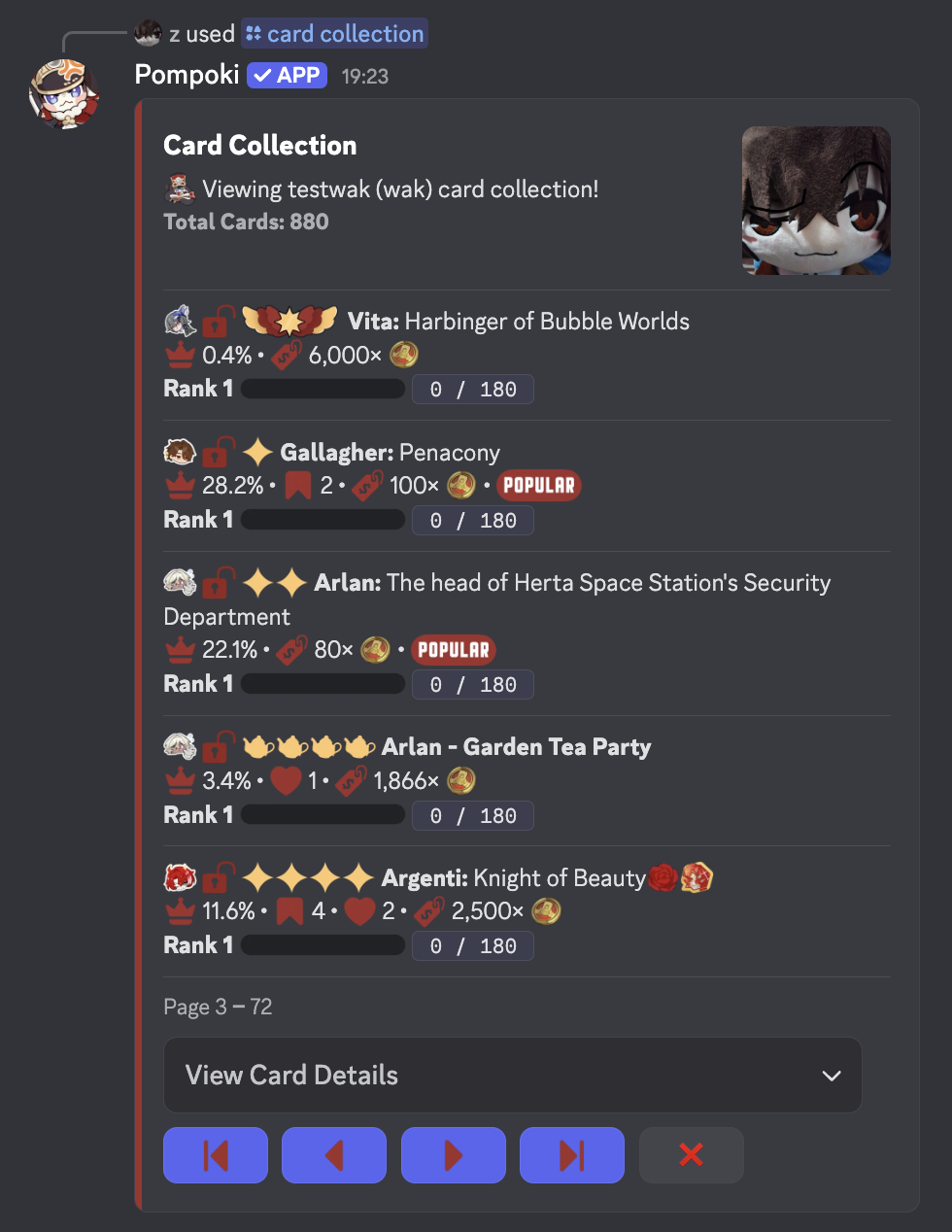
Easily browse your card inventory, showing all the character cards you own—including standard, event-exclusive, and special cards. Sort by name or rarity, filter by rarity or event status, search by name or alias, and view duplicates or missing cards. A simple way to track and manage your collection right from Discord!
Command Reference
/card collection (user, sort, event, series, card_name, rarity, custom_name, is_locked, is_albumable, has_badge)
Parameters:
user | User | optional
View someone else's card collection! If not specified, defaults to you (the author of the command)
sort | Choice | Optional
Determines the sorting order of the results.
Allows for efficient browsing or strategic viewing (e.g., identifying top-tier cards).
Available options may include:
event | Choice | Optional
Filters results to only show cards released during a specific event.
Useful for collectors tracking limited-time or seasonal cards.
series | Text | Optional
Displays only cards that belong to a specific series or franchise.
Partial matching is supported for convenience.
card_name | Text | Optional
Searches for cards by their display name or known aliases.
Supports partial text matching to find cards even if the full name is unknown.
rarity | Choice/Integer | Optional
Limits the results to cards of a specified rarity tier.
Ideal for users focusing on rare packing or building rarity-specific collections.
Min 1 and max 5
custom_name | Text | Optional
Searches for cards that the user has renamed (custom-named cards).
Helpful for identifying personalized or favorited cards.
is_locked | Boolean | Optional
Filters the collection by lock status:
true – Only show locked (protected) cards
false – Only show unlocked cards
Useful for managing tradeable vs. secured cards.
is_albumable | Boolean | Optional
Returns only cards that are eligible (or ineligible) for album placement.
Great for album curators trying to fill or organize sets.
has_badge | Boolean | Optional
Filter by badge status:
true – Only show cards that have at least one badge
false – Only show cards with no badges attached
Supports tracking achievement-marked or special-status cards.
Last edited: Thu 4 Sep 7:26PM Gmt+7